 |
|

| |||


|
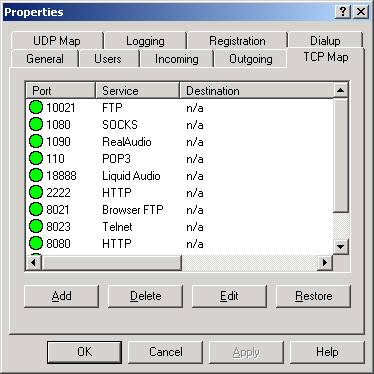
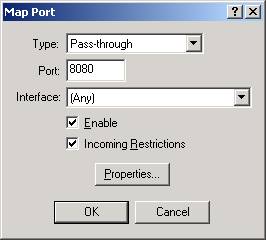
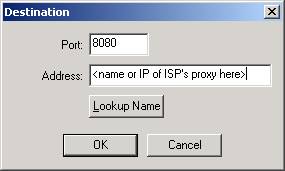
Setting up SpoonProxy to work with your ISP's proxy or a proxy-based remote content-filtering service These instructions are a more detailed version of the what's in our FAQ at http://www.pi-soft.com/spoonproxy/faq.shtml#ispproxy. When your ISP uses its own proxy server or you're using a remote content filtering service that uses a proxy server to filter content, you will need to map to the remote proxy server in order to use its services. In general, this means that instead of using the HTTP proxy on port 8080 in SpoonProxy, you will map TCP port 8080 IN and OUT in SpoonProxy to the IP address of the remote proxy server, Here's a step by step: 1)
Get the name (or IP) of the proxy server and the port number from your ISP or
the filtering service company. (It will probably be 8080.) Please
note: This is critical information that you must get from them. We
cannot get this info for you, nor can you proceed with these instructions until
you have it. 2) In SpoonProxy click Properties >> TCP Map
|
| |||
|
Copyright © 1996-2000 Pi-Soft Consulting, LLC |